

An AI social media post generator can turn one idea into a week of posts in less time than it takes your coffee to cool. The trouble is that the drafts often sound like they were written by nobody in particular. This guide gives you a voice-first process and a five-minute edit checklist, so your posts still sound like you.
Why AI-Generated Posts Sound Robotic (and Why It’s Fixable)
Lots of marketers already use AI for social posts. According to Planable, a Sprout Pulse survey of 255 social media marketers found that 71% had started using AI and automation in their daily tasks. The same Planable summary says about 82% of those adopters reported strong results. In a separate source, POWR cites Emarketer data showing that 58% of marketers whose businesses use generative AI for content creation named improved performance as the main benefit.
Check what each number is a share of before you repeat it:
- The 71% is a share of 255 social media marketers. It isn’t a share of every marketer.
- The roughly 82% counts only the people who had already started using AI.
- The 58% counts only marketers whose businesses already use generative AI for content.
The phrases “strong results” and “improved performance” are what respondents said about themselves. They aren’t measured outcomes. None of these figures tells you whether readers thought the posts sounded human. AI use is widespread, but making the posts sound natural is still up to you.
So what gives a post away? You’ll see these tells over and over:
| Robotic tell | What it looks like | Human fix |
|---|---|---|
| Warm-up opener | “In today’s fast-paced digital world…” | Start with the point: “I lost a client last week.” |
| Stacked buzzwords | “use synergies to unlock growth” | Plain verbs: “Get more replies” |
| Same-shape sentences | Three 15-word lines in a row | Follow a four-word line with a longer one |
| Emoji overload | 🚀✨💡 after every line | One emoji that adds meaning, or none |
| No opinion | “There are pros and cons to both” | “I’d pick carousels here, and here’s why” |
| No concrete detail | “Many clients face challenges” | “A café owner asked how to price a latte-art class” |
The model usually isn’t the root cause. The input is. A generator can only work with what you give it. Ask for “a post about productivity” and it fills the gaps with the safest, most average wording it has. Compare these two prompts:
- Thin: “Post about time management for freelancers.”
- Specific: “LinkedIn post for freelance designers. I used to take calls any time and lost whole afternoons. Now I batch calls on Thursdays. Tone: blunt, a bit self-deprecating. Goal: get people to share their own rule.”
The second prompt includes an audience, a real detail, a tone and a goal. Everything below follows from that idea: better input gets you fewer robotic drafts.
Start With Your Voice, Not a Blank Prompt
When you type a prompt, you tend to write short, stiff commands. When you talk an idea through, you explain it the way you would to a friend, and that’s the tone that works on social. Out loud, you speak in short bursts, add side comments and make the odd joke. If you dictate the idea, some of that rhythm carries into the draft. You’ll still need to edit, but you start from your own voice instead of the machine’s.

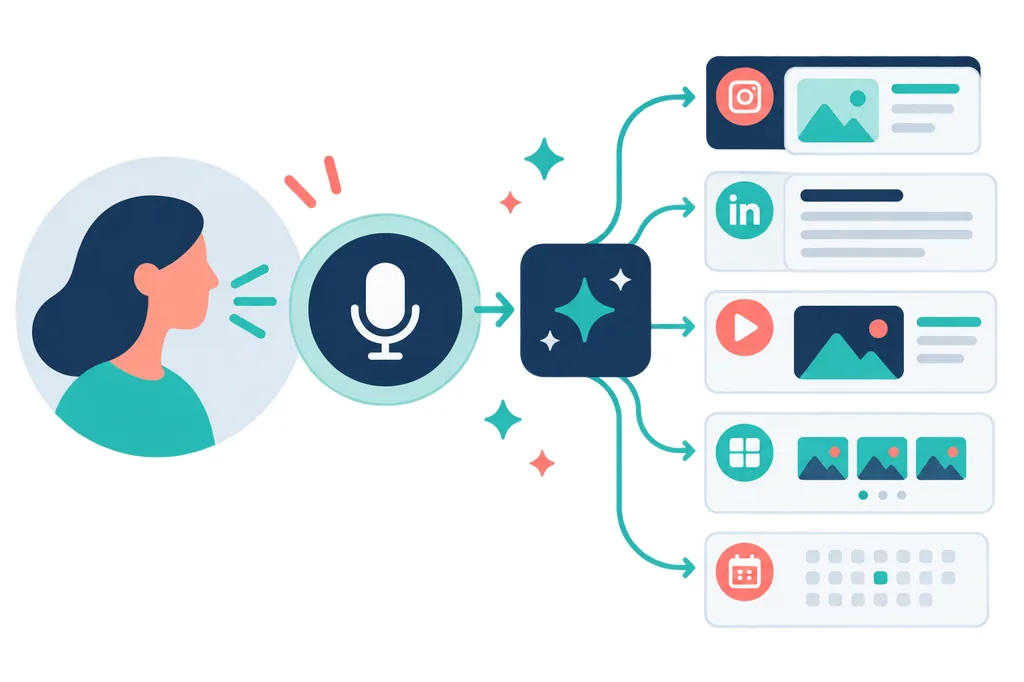
Voice-first tools are built on this idea. Posti AI lets you tap the mic and speak your idea. In about 60 seconds it gives you ready-to-post content in five formats from that one note. Its privacy policy says voice input is processed on your device using iOS speech recognition. Only the text transcription goes to the backend for content generation.
Your best ideas rarely show up when you sit down to “do content.” They come after a client call, on a walk, or right after something goes wrong. Here’s a simple habit to catch them:
- Record a 30–60 second voice note as soon as the idea, question or mistake comes up.
- Say who it’s for and why it matters to them, even if that’s one sentence.
- Leave it alone, then generate from it later when you have ten free minutes.
Example: a 45-second note recorded right after a tricky client call already holds three things a typed prompt usually misses: the story, the stakes and your honest reaction.
Some days nothing comes to mind. For those days, its comparison page describes daily suggestions of 3–5 fresh topic ideas tailored to your niche. Use them as starting points, not finished posts. Add your own story before you hit generate.
Feed the Generator Specifics Only You Know
A generator has read a huge amount of text, but it knows nothing about your week. That gap is where your advantage sits. Before you generate, add four ingredients to your voice note or prompt: a real story, a number you can back up, a clear opinion and a named reader. Run through all four every time and your drafts start to sound like they came from a person.
Real stories and mistakes. Add one real moment the model couldn’t guess. It could be a client conversation, a launch that flopped, or something you got wrong and what you changed afterward. Keep the details exact: who was involved, when it happened and what the result was. Generators like to smooth a messy story into a tidy “key lesson.” Don’t let them. If you said “I priced the workshop too low and three people asked if it was a typo,” keep that line in the post. Stories with a small embarrassing detail feel human because nobody would make that detail up.
Verifiable numbers from your work. Numbers make a post concrete, but only if they’re true. Use figures you can show if someone asks:
- Hours you spent on a task before and after a change
- Posts you published in a set period
- A before-and-after metric from your own analytics, with the date range
Give the time period and context next to each number. Then check the draft line by line. Generators sometimes round a figure, change it or add one that wasn’t in your input. If you quote a survey, keep its source and its base, the same way the figures in the first section were handled. Example: “I cut my weekly posting time from 3 hours to 1 hour over 6 weeks by recording ideas instead of typing them.” Only use a sentence like that if it actually happened to you.
Clear opinions and a named audience. Drafts that stay neutral and talk to “everyone” sound like a brochure. In your prompt, name the specific reader, for example “solo fitness coaches on Instagram” rather than “small businesses.” Say what the post is for: replies, saves, clicks or DMs. Then state one position you’re willing to defend. “Most carousel advice is too long” is a real opinion. “Carousels can be useful” isn’t.
Why does this work so well? An opinion gives the generator a direction to argue in, and a named reader tells it which words to use. Pair “fitness coaches” with “stop posting workout videos nobody saves” and the output gets a point of view and a voice almost immediately.
The 5-Minute Human Edit Checklist
Whichever AI social media post generator you use, the draft isn’t the finished post. This checklist is a suggested routine. The times are a way to keep the pass short, not a measured benchmark:

- Read it aloud (about 1 minute). Read the whole draft out loud once. Wherever you stumble, run out of breath or use a phrase you’d never say to a colleague, rewrite it in your own words.
- Cut the opener (about 30 seconds). Delete the warm-up first line and start with the point, the story or the surprise.
- Swap buzzwords (about 1 minute). Replace words like “use,” “significant improvement” and “unlock” with plain verbs. Keep a personal list of banned phrases and check every draft against it.
- Trim emoji (about 30 seconds). Keep one or two at most, and only where they add meaning.
- Vary the rhythm (about 1 minute). Look for runs of sentences that are the same length or start the same way. Split a long sentence into two, merge two short ones, or turn a statement into a question.
- Check facts (about 1 minute). Make sure every name, number and date matches what you actually said.
If your generator has a built-in editor, do the whole pass there. You’ll avoid copying text between apps and losing formatting. The mixed rhythm from step five does more than any other edit to get rid of the flat, even pace that gives AI writing away.
Match Format, Platform and Language
There are plenty of generators, and many of them only do part of the job. Even the comparison page on this site sends designers who need pixel-perfect visuals to a dedicated design platform. Before you commit to any tool, check that it covers the formats, languages and inputs you actually use:
| What to check | Why it matters | Posti AI |
|---|---|---|
| Input | Speaking keeps your natural rhythm | Voice note or typed idea |
| Formats | One idea should feed several posts | Carousels, text posts, reel scripts, hooks, threads |
| Languages | Your audience may not read English first | 43 languages |
| Templates | Saves design time | 40+ templates |
| Editing | Keeps the human pass in one place | Built-in editor |
| Publishing | Keeps your posting schedule consistent | Schedules posts to publish automatically |
Don’t post all five formats unchanged. A reel script needs a tighter hook than a LinkedIn text post. Before you rely on auto-publishing, confirm that each of your target platforms is supported, and run the edit checklist before anything goes into the queue. If you’d rather talk than type, Posti AI turns your next voice note into a week of drafts you can polish and schedule.
Frequently Asked Questions
Can People Tell If a Social Media Post Was Written by AI?
Sometimes they can. Readers tend to notice warm-up openers, stacked buzzwords, sentences that are all the same length, heavy emoji and posts with no concrete detail. Detection isn’t a precise science. The more useful question is whether the post sounds like you, and a quick edit for those tells fixes most of it.
How do I make an AI social media post generator sound like me?
Give it material only you have: a real story, a number you can verify, a clear opinion and a named reader. Speaking the idea instead of typing it also helps keep your natural rhythm. After that, read the draft aloud and rewrite any line you wouldn’t actually say.
Is it better to type or speak my ideas into an AI post generator?
Speaking usually gives the generator richer input. When you talk an idea through, you add context, side comments and reactions that a short typed prompt leaves out. Typing still works fine if you include the audience, goal, tone and one real detail.
How Much Should I Edit AI-generated Social Media Posts?
Plan on a short but real edit for every post. A five-minute pass usually covers it: read aloud, cut the opener, swap buzzwords, trim emoji, vary sentence length and check every fact. Never publish or schedule a draft you haven’t read in full.
Can I Post the Same AI Draft on Every Platform?
It’s better not to. Each platform rewards something different: a reel script needs a quick hook, a carousel needs one idea per slide, and a LinkedIn post can take a longer story. Start from the same idea, then adjust length, hook and format for each platform before you publish.
Sources
- powr.io
- planable.io
- Posti AI